FinderGit
FinderGit is a native macOS application that combines file browsing with Git intelligence. Instead of switching between Finder and a Git client, you get everything in one window.
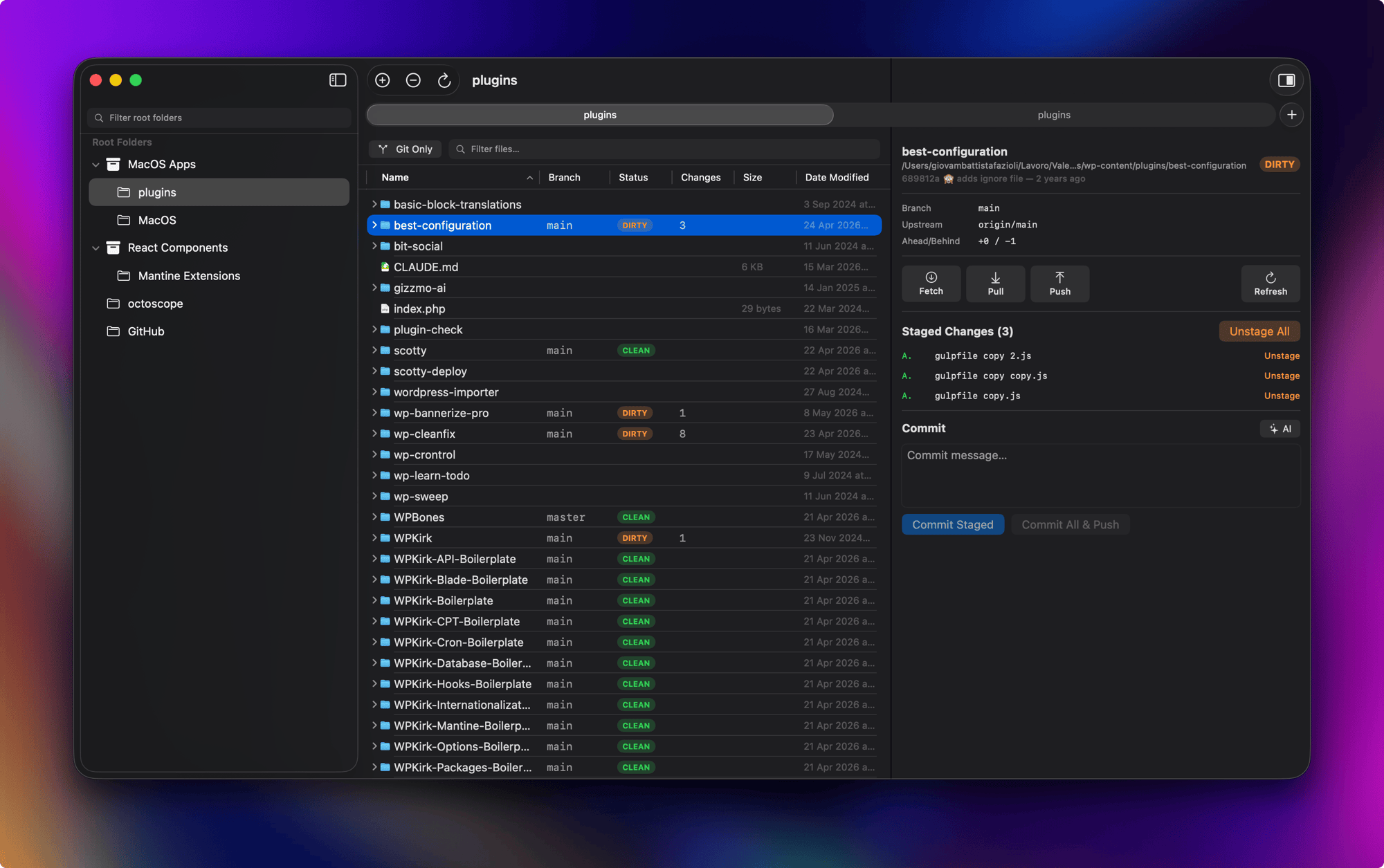
What it does
- Tree view with sortable columns — browse your files like Finder’s list view, with columns for Branch, Status, Changes, Size, and Date Modified
- Live Git status — every repository shows its current branch, clean/dirty/unpushed state, updated in real time via FSEvents
- Ahead/behind counter — the status badge shows
↑N,↓N, or↑N ↓Mwith tooltips so you can spot repos that need a push, a pull, or both without opening them - Auto-fetch — optional background
git fetchat a user-chosen interval so the ahead/behind counter stays fresh without manual refreshes - Inline diff viewer — click any modified file to see a colored diff with line numbers
- Git actions — stage, unstage, commit, push, pull, fetch, and switch branches directly from the app
- Smart context menus — right-click adapts to context: file operations for regular files, Git operations for repositories
- Quick Look — press Space to preview any file.
.mdand.markdownfiles open in a native renderer (GitHub-style theme); everything else falls back to system Quick Look - Search & filter — filter the tree by name or toggle “Git Only” to show just repositories
- Multiple root folders — add as many root directories as you want; drag folders from the macOS Finder into the sidebar to add them as roots
- Universal binary — one DMG runs on Apple Silicon and Intel Macs; macOS picks the right slice at launch
- Auto-updates — built in via Sparkle, signed with EdDSA
- Online help —
⌘?opens the live documentation in your browser, always up to date with the running version - What’s New panel — every minor release introduces itself on first launch with a curated list of highlights, available any time from the Help menu
Requirements
- macOS 15 (Sequoia) or later
git— provided by the Xcode Command Line Tools. On a fresh Mac, runxcode-select --installand accept the license withsudo xcodebuild -licensebefore launching FinderGit (see Getting Started)
Last updated on