Settings
Open Settings with ⌘ , or from the menu FinderGit → Settings.
General
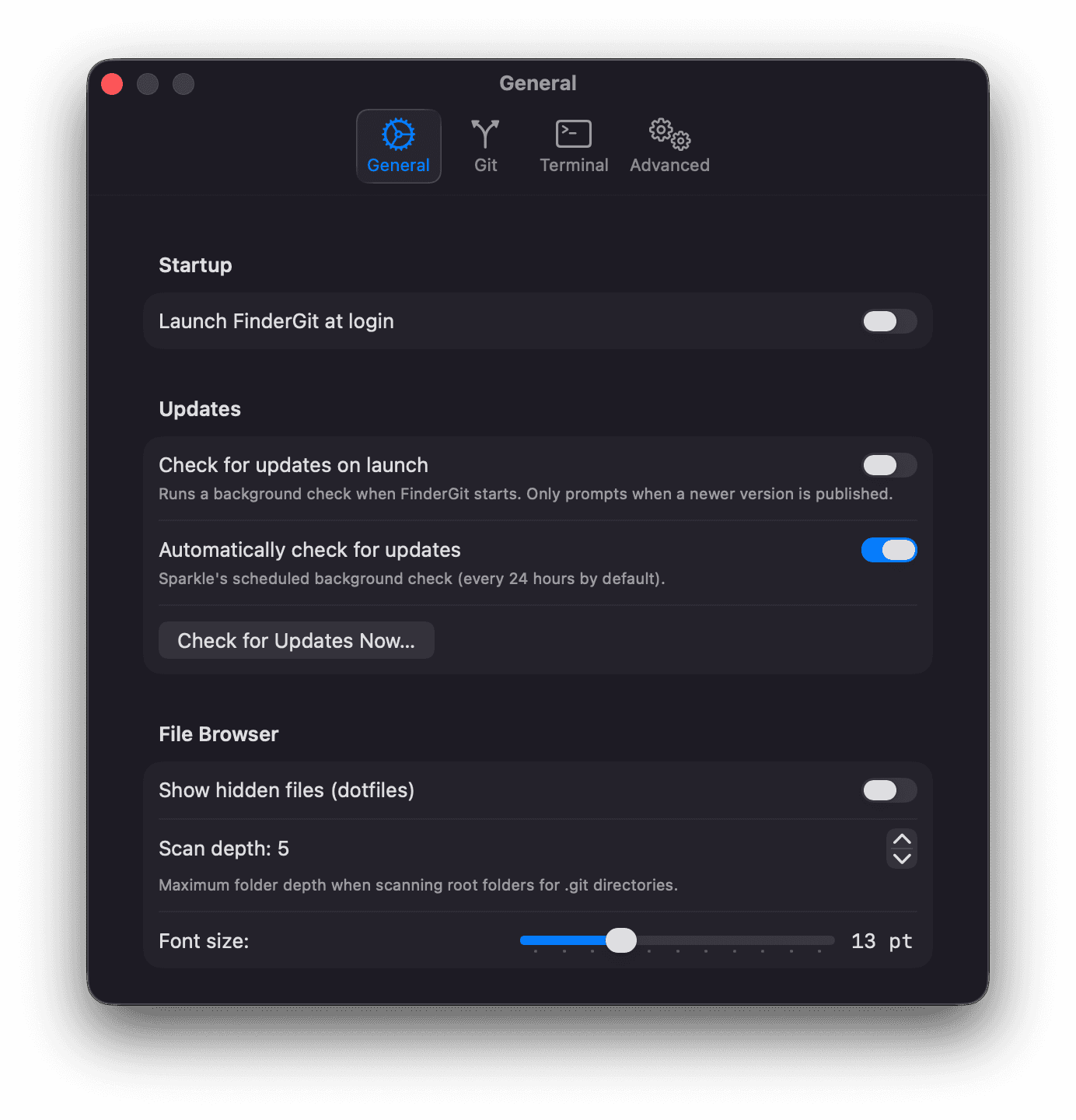
Startup
- Launch FinderGit at login — automatically start FinderGit when you log in to your Mac
Updates
- Check for updates on launch — run a background check every time FinderGit starts. Silent unless a newer version is available.
- Automatically check for updates — scheduled background check (every 24h by default). Toggle this if you want to freeze on your current version.
- Check for Updates Now… — trigger a check on demand. Disabled in development builds so the Xcode-run binary can’t accidentally offer to replace itself with the release DMG.
File Browser
- Show hidden files — display dotfiles (files starting with
.) in the tree view - Scan depth — maximum folder depth when scanning root folders for
.gitdirectories (1–10, default 5) - Font size — tree view font size in points (10–20, default 13). Also adjustable via ⌘ + / ⌘ − / ⌘ 0
Excluded Folders
Comma-separated list of directory names to skip during scanning. Default:
node_modules, .build, Pods, Carthage, DerivedData,
.Trash, Library, Applications, .cache, .npm,
vendor, bower_components
Git
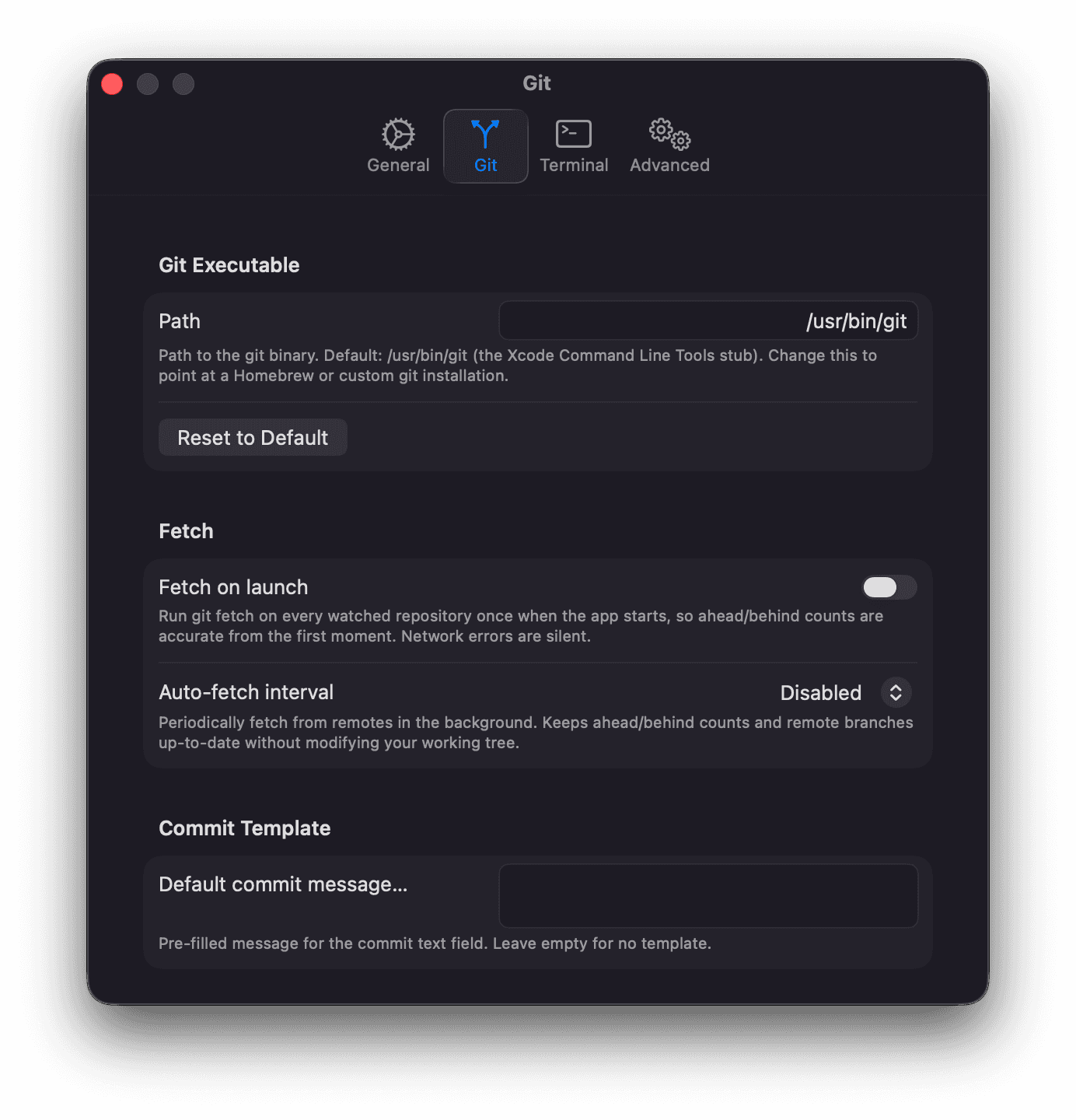
Git Executable
Path to the git binary. Default: /usr/bin/git (the macOS Xcode toolchain stub). Change this if you use a Homebrew or custom git installation.
Fetch on launch
When enabled (default), FinderGit runs git fetch on every watched repository once, right after the initial discovery scan completes. This ensures ahead/behind counts reflect the true remote state from the first moment the UI is visible — without it, a newly launched app would only start showing BEHIND after you manually triggered Fetch or the periodic auto-fetch fired.
Network errors during the launch fetch are silent (no per-repo error banners). Disable this if you’re on a metered connection.
Auto Fetch
Periodically fetch from all remotes in the background. Options: Disabled (default), every 5/15/30/60 minutes.
Keeps ahead/behind counts and remote branches up-to-date without modifying your working tree.
Commit Template
A default message pre-filled in the commit text field. Leave empty for no template.
AI
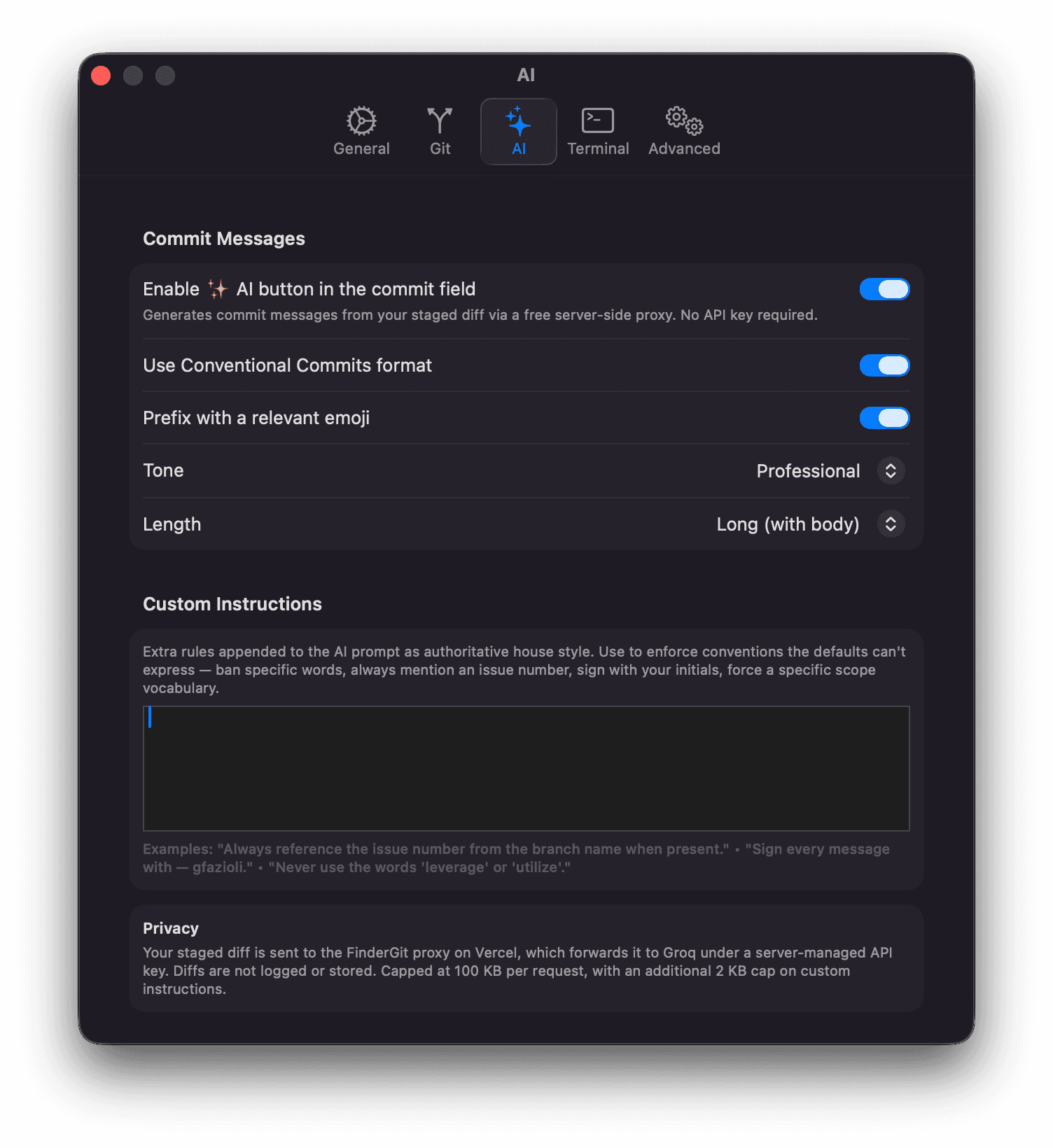
Configures the ✨ AI commit-message generator added in 0.5.0. See the dedicated AI Commit Messages page for the full feature guide and examples.
Commit Messages
- Enable ✨ AI button in the commit field — master switch. Disable to hide the button entirely
- Use Conventional Commits format — wraps the subject as
type(scope): subject(default on) - Prefix with a relevant emoji — let the model pick one matching emoji (default off)
- Tone — Professional / Casual / Friendly
- Length — Short (subject only) / Normal (subject + brief body) / Long (subject + bulleted body)
Custom Instructions
Free-form textarea (max 2 KB) appended to the AI prompt as authoritative house style. Use to enforce conventions the defaults can’t express — ban specific words, always reference an issue number, sign with your initials, force a specific scope vocabulary.
Privacy
Your staged diff is sent to the AI in-flight only — diffs are not logged or stored, and no personal credentials are required. Capped at 100 KB per request, with an additional 2 KB cap on custom instructions.
Terminal
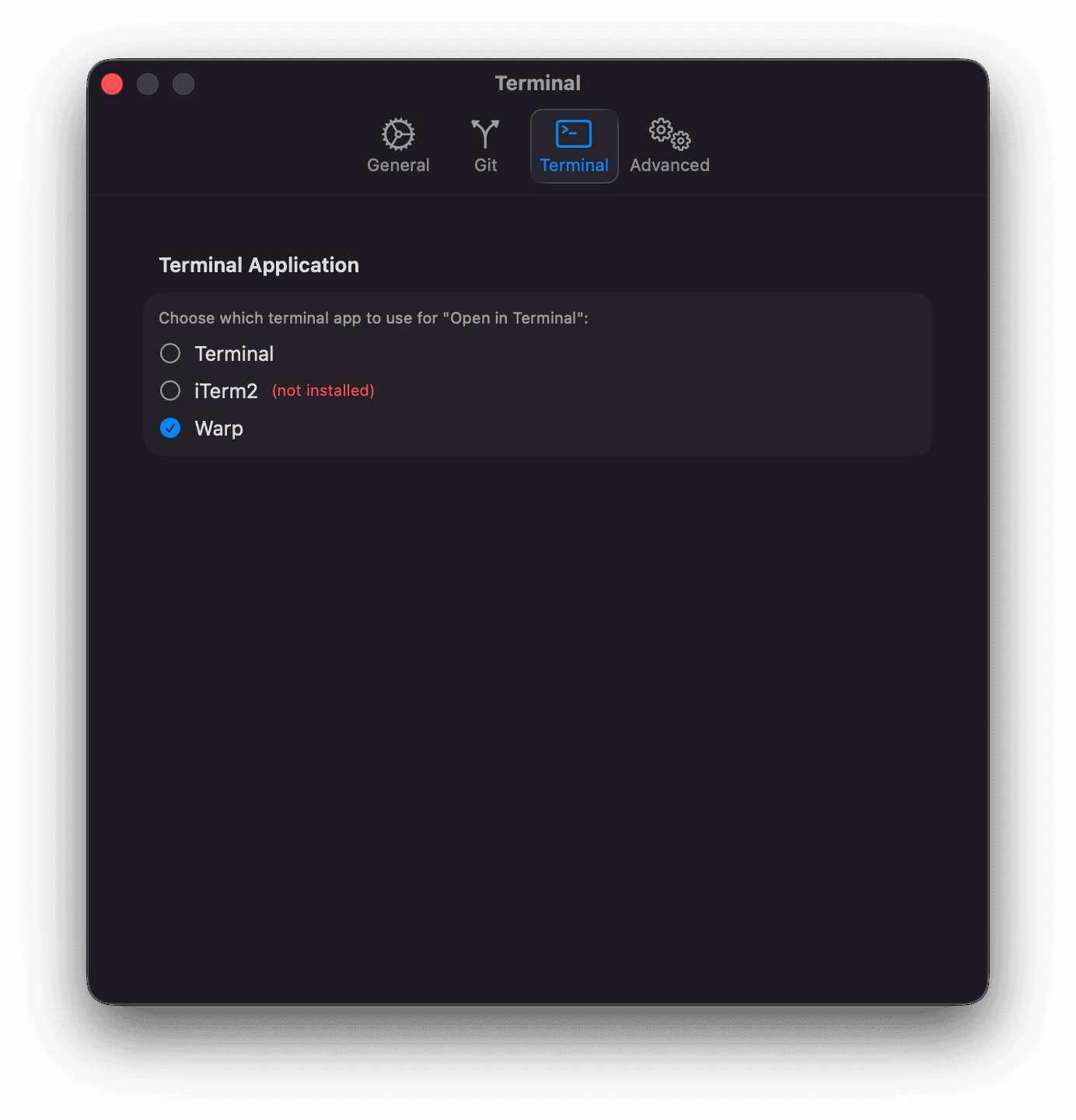
Choose which terminal application to use for the “Open in Terminal” action:
- Terminal (default) — the built-in macOS Terminal
- iTerm2 — if installed
- Warp — if installed
Advanced
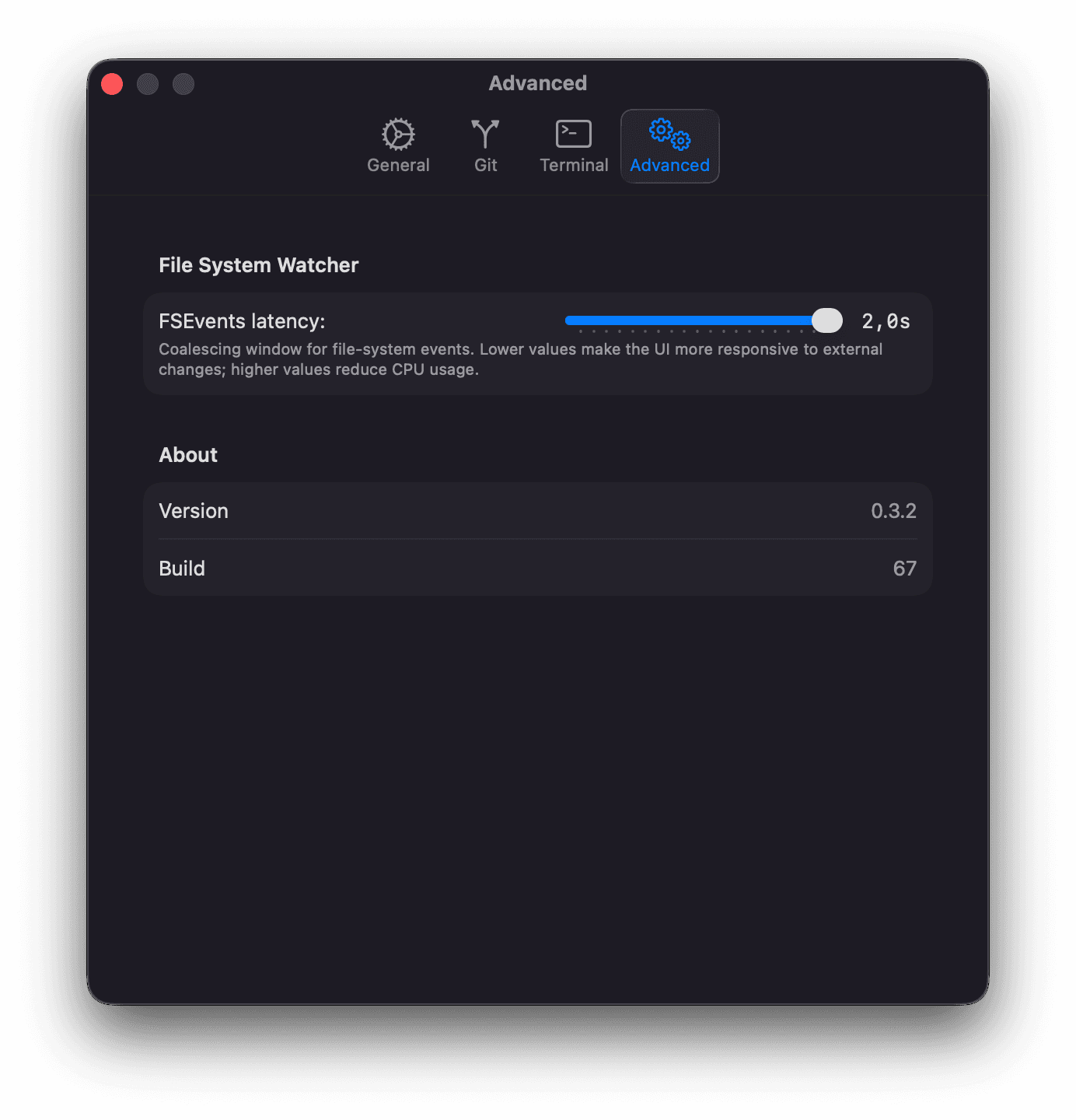
File System Watcher
FSEvents latency slider (0.1s–2.0s, default 0.3s). Lower values make the UI more responsive to file changes; higher values reduce CPU usage.
About
Shows the current app version and build number.